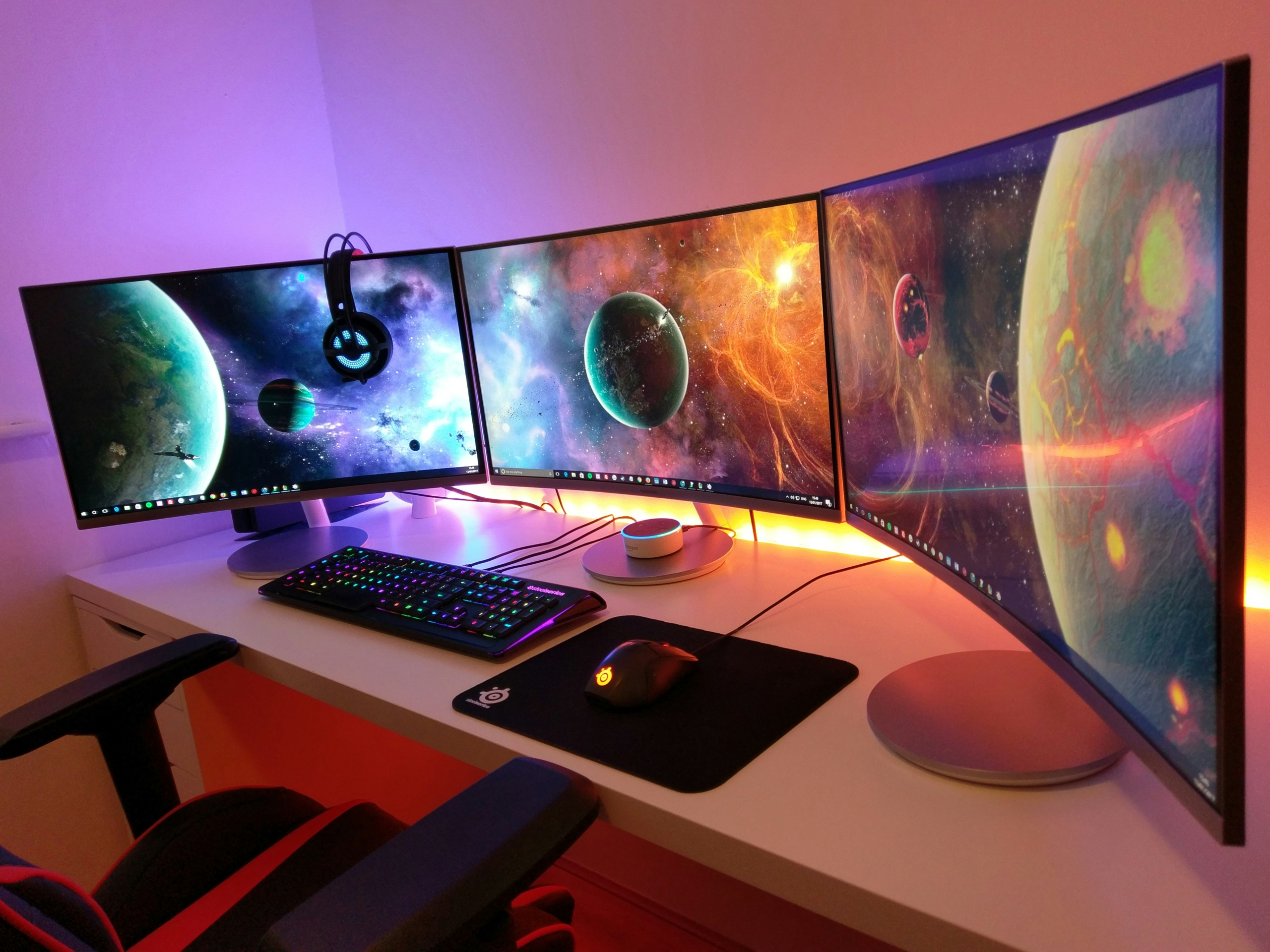
The gap between a mediocre monitor and a great one has genuinely never been wider than it is right now. OLED has gone mainstream, high refresh rates at 4K are real, and last year’s flagship prices have come down. But more choice also means it’s easier to buy the wrong thing for your setup.
Short answer: for most people in 2026, a 1440p monitor running 165-240Hz is the sweet spot, paired with a GPU that can actually push those frame rates in the games you play. The single rule that matters more than any spec sheet: match your monitor to your GPU, not the other way around.
The one rule that actually matters
A 240Hz monitor can’t display frames your GPU never renders, buy the refresh rate your hardware can genuinely feed, not the highest number on the shelf.
If your card averages 80fps in a demanding open-world game, most of that 240Hz sits completely idle. Buy the refresh rate your hardware can genuinely feed in the games you actually play, and let adaptive sync (G-Sync or FreeSync) smooth out the moments it can’t hit that ceiling.
Resolution: where most people should land
1440p is the strongest balance for open-world gaming in 2026, a real jump over 1080p without demanding the GPU horsepower 4K needs to run well.
1440p has become the preferred choice for most gamers this year, and for open-world games specifically it’s a strong balance: a real jump in sharpness over 1080p without demanding the GPU horsepower 4K requires to run well. 4K looks incredible but remains genuinely demanding, even flagship 2026 GPUs can struggle to maintain high frame rates in the newest open-world titles at that resolution.
Panel type: OLED is worth it if you can afford it
OLED delivers near-instant response and perfect contrast that suits open-world lighting; IPS remains the safer, cheaper choice without OLED’s contrast ceiling.
OLED panels deliver near-instant response times and perfect contrast, which matters for the atmospheric lighting a lot of open-world games lean on heavily. The tradeoffs are cost and a real, if often overstated, risk of burn-in with static UI elements over long-term heavy use. IPS panels remain the safer, cheaper choice with excellent color accuracy, just without OLED’s contrast ceiling. Worth knowing: OLED pricing has come down enough that a genuine QD-OLED panel is now available well under $400, not just at the premium end anymore.
Curved and ultrawide: a genuine fit for open-world specifically
Ultrawide (21:9) monitors change how open-world games feel, not just how they look, you see meaningfully more of the map horizontally, which suits exploration-heavy titles more than competitive shooters.
This is worth calling out on its own, since it’s specific to the genre you’re actually buying for. A curved ultrawide wraps more of the game world into your peripheral vision, and for exploration, racing, and story-driven open-world titles, that extra horizontal real estate genuinely changes how immersive a scene feels, it’s a different experience, not just a wider one. Competitive shooter players tend to feel differently about this; some find the extra width distracting rather than helpful, since peripheral vision isn’t an advantage in a genre built around centered aim. Not every game supports 21:9 properly yet, though most current AAA open-world releases do, worth checking before you buy if there’s a specific title you’re building around.
Real picks by tier
A genuine QD-OLED panel like the Alienware AW2726DM now costs around $350, putting premium picture quality within reach at the mid-range price point, not just at the top of the market.
Budget: the Pixio PX248 Wave covers the 1080p/165Hz+ tier well, a fast IPS panel with a 200Hz refresh rate and 1ms response time, at a genuinely low price point.
Mid-range, the sweet spot: the Alienware AW2726DM is the standout here, a 27-inch QD-OLED panel at 1440p and 240Hz for around $350, genuinely premium picture quality at a mid-range price.
High-end: the MSI MPG 322URX delivers 4K at 240Hz on a QD-OLED panel, built for GPUs that can actually push that combination.
Immersion-focused (ultrawide): the MSI MPG 341CQPX is a 34-inch curved QD-OLED at 3440×1440 and 240Hz, built specifically for the exploration-heavy, story-driven games this guide is about.
Quick comparison by tier
| Tier | Resolution | Refresh Rate | Panel | Pick | Best For |
|---|---|---|---|---|---|
| Budget | 1080p | 200Hz | IPS | Pixio PX248 Wave | Getting a real upgrade without GPU strain |
| Mid-range (sweet spot) | 1440p | 240Hz | QD-OLED | Alienware AW2726DM | Most open-world gamers in 2026 |
| High-end | 4K | 240Hz | QD-OLED | MSI MPG 322URX | Only if your GPU can actually push it |
| Immersion-focused | 1440p ultrawide | 240Hz | QD-OLED | MSI MPG 341CQPX | Exploration, racing, story-driven open-world |
Size guidance by resolution
27 inches is the current standard for 1440p; go smaller (24-25″) at 1080p and larger (27-32″) only at 4K, where the extra pixel density is put to use.
For 1080p, 24-25 inches keeps the image sharp without the pixels stretching thin. For 1440p, 27 inches is the current standard. For 4K, 27-32 inches works well, with larger sizes making better use of the extra pixel density.
Who this isn’t for
If you’re primarily playing competitive shooters rather than open-world titles, this guide’s priorities shift, you’d want to weight refresh rate and response time far more heavily than resolution or immersion features like curve/ultrawide, and a flat panel is usually the better call over curved. This guide is built around open-world, exploration, and story-driven gaming specifically; a dedicated competitive-FPS monitor guide would rank refresh rate above everything else instead.
Bottom line
Don’t buy refresh rate or resolution your GPU can’t actually use. Figure out what your card can realistically push in the games you play most, then buy the monitor that matches it, and if open-world immersion is what you’re actually chasing, don’t overlook ultrawide as a genuinely different experience, not just a bigger screen.